

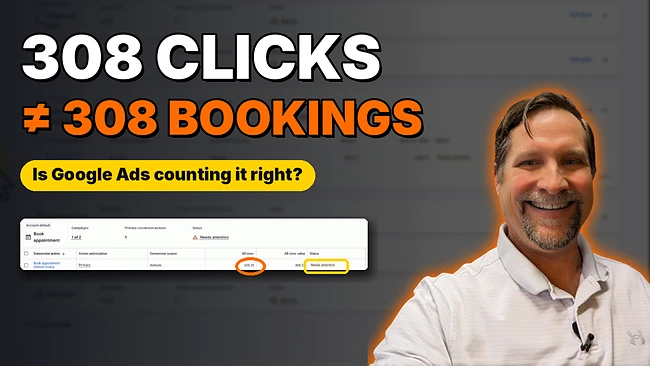
Is your account optimizing for the right thing?
Whenever we take over a Google Ads account, one of the first things we check is conversion tracking. Not just whether it's firing, but what it's counting.
Here's why it matters: Google Ads uses your conversions to decide who to show your ads to. If your account is set up to optimize for the wrong action, Google will happily go out and find you more of the wrong thing. You pay for clicks that look like results in the dashboard but never show up as revenue.
In the video below, I walk through a real account (a local spa client, kept anonymous) and show you exactly where to look and what to watch for. It takes about three minutes. The written version follows.
See what happens when the wrong page counts as a conversion: [Google’s AI spent $68,884 on a thank-you page]
Watch a video or audio of this post:
Prefer to listen to the audio file?
Click to listen or download the file.
Quick glossary
A few terms come up a lot below. Here's what they mean in plain English.
| Term | What it means |
|---|---|
| Conversion | An action you count as a result, like a call, form fill, booking or purchase. |
| Conversion action | The specific thing Google tracks, like "Calls from ads" or "Book appointment button click." |
| Conversion goal | A group of related conversion actions, like "Phone call lead" or "Book appointment." |
| Primary | A conversion action Google uses to optimize your bidding. It also shows in the main "Conversions" column. |
| Secondary | An action Google tracks for reporting only ("observe only"). It doesn't steer bidding. |
| Enhanced conversions | A feature that matches hashed customer info (like an email from a form) to improve tracking accuracy. |
| CPA (cost per acquisition) | What you pay, on average, for one conversion. |
Where to check: Goals → Conversions → Summary
The fastest way to see what your account is counting is the conversions Summary page.
- 1In Google Ads, click Goals in the left menu.
- 2Under Conversions, click Summary.
- 3You'll see each conversion goal as its own row (Phone call lead, Contact, Book appointment, Page view and so on).
- 4Click the arrow on the right of any goal to expand it and see the conversion actions inside.
Each goal row shows how many campaigns use it (for example, "1 of 2"), how many primary actions it contains, and its status.

Google Ads Goals > Conversions > Summary page showing conversion goals
What "Primary" actually means
When a conversion action is set to Primary, your campaign optimizes for it. In plain terms, Google goes out and looks for people it thinks are likely to complete that action.
That's powerful when Primary is set on the right things, and expensive when it isn't. So the question for every Primary action is simple: does this drive real sales and profit for the business?

Two call conversion actions set to Primary in Google Ads
A real example: what this account is counting
Phone calls: two primary actions, both working
In this account, the Phone call lead goal has two primary actions:
Both are set to Primary, both are firing, and the status is Active. That's what you want to see: real calls from real prospects.

Discover How Our Agency Can Drive More Leads and Sales To You
SEO - increase traffic and leads from Google
Content Marketing - from a data-driven topic strategy to awesome content and distribution
Paid Ads - Google Ads and Paid Social Media
"Needs attention" doesn't always mean broken
The Book appointment goal shows a yellow Needs attention warning. It looks alarming, but in this case it isn't a tracking failure.
The warning relates to enhanced conversions, which need customer data (like an email address) captured at the point of booking. This spa uses Zenoti as its booking and POS system. Because of how the client's Zenoti access is set up, we can't pass that information back. The conversion action itself is still recording.

Google Ads Needs attention warning on the Book appointment goal
The real issue: 308 clicks is not 308 bookings
Here's the part that matters most. Ad traffic goes to a landing page with a Book Appointment Now button. That button sends people to the Zenoti booking page.

Book appointment conversion action showing 308 conversions from button clicks
We can't track all the way through to a completed booking. So the conversion action counts the click on the button, not the appointment. This month it shows 308 conversions. That's 308 clicks, not 308 appointments.
Some people click and book. Some click, look around and leave. There's always drop-off. So at the end of each month, we compare actual bookings in Zenoti to what Google recorded. That's how we get the real cost per booking.
A booking-button click is still a strong signal of interest. It just isn't a booking, and it shouldn't be reported like one.
Why page views shouldn't steer your bidding
Further down the Summary page, the Page view goal shows "0 of 2 campaigns." Its actions are set to Primary, but no campaign is using them, which is exactly right here.
A page view is a weak signal. If it were steering bidding, Google would chase people who land on the site and leave. A Book Appointment click is much closer to what the business actually wants.

Page view conversion goal used by 0 of 2 campaigns
Check your own account in 4 steps
- Go to Goals → Conversions → Summary.
- Expand each goal and note which actions are set to Primary.
- Make sure Primary actions are the ones that drive revenue: calls, bookings, purchases, qualified leads.
- Once a month, compare what Google reports to your real bookings or sales, so you know your true cost per customer.
If an action is useful to watch but isn't a real result (like a page view), switch it to Secondary under Edit goal. You'll still see it in reports, but it won't steer your bidding.
Want a second set of eyes on your account?
If you'd like me to audit your Google Ads conversion setup, comment or DM the word AUDIT on any of our social posts, or contact us here. I'll take a look at what your account is counting and whether it lines up with what actually makes you money.
Discover How Our Agency Can Drive More Leads and Sales To You
SEO - increase traffic and leads from Google
Content Marketing - from a data-driven topic strategy to awesome content
Paid Ads - Google Ads and Paid Social Media
